Creating a Wallet: Step-by-Step Guide to Setting Up WebAuth Wallet
Written by: artwebin
November 8, 2025
This free app (available on iOS, Android, and web) is your all-in-one tool to store XPR, manage your @name, and use all XPR Network features.
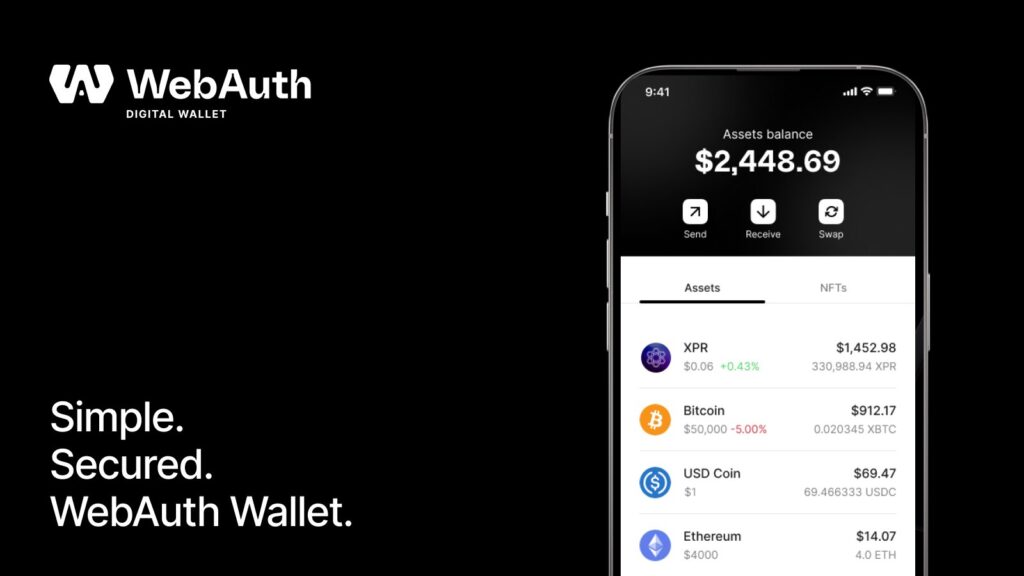
To interact with XPR Network, you first need a wallet. The official wallet for XPR is WebAuth.com Wallet (formerly Proton Wallet). This free app (available on iOS, Android, and web) is your all-in-one tool to store XPR, manage your @name, and use all XPR Network features.
It’s a non-custodial wallet, meaning you control your private keys. Below is a step-by-step guide to set up your wallet and create your XPR Network account.
Steps to Create Your XPR Wallet Account:
Download the WebAuth Wallet: Install WebAuth.com Wallet from the App Store (iOS) or Google Play (Android). (On desktop, you can later use the WebAuth web wallet, but start with mobile for simplicity)
Open the App & Sign Up: Launch the app and tap “Sign Up” to begin registration.
Choose a Username: Pick a unique account name, which will also be your @name on XPR Network (for example, @artwebin). This name is your address that others will use to send you XPR.
Secure Your Account (Seed Phrase): The wallet will generate a 12-word seed phrase – write it down and save it in a secure place. ⚠️ Never share your seed phrase with anyone. It is the only way to recover your account if you lose access, and nobody (not even the wallet provider) can help you recover it if it’s lost.
Set Up Authentication: Choose a secure signing method when prompted. WebAuth Wallet supports modern device security like Touch ID, Face ID, or hardware keys (e.g. YubiKey) for authorizing transactions. Select your preferred method to protect your wallet.
Finish Account Creation: After confirming your seed phrase and security settings, your XPR Network account will be created on-chain. You now have a wallet with your @name address and an XPR account ready to use!
Tip: There is no fee to create an XPR account via the official wallet (the network resource costs are handled behind the scenes). Once set up, you can log into the WebAuth web wallet using your new credentials as well, but the mobile app will be your primary tool.
Benefits of the WebAuth Wallet:
User-Friendly & All-in-One: The WebAuth wallet is often called the “Swiss army knife” of XPR Network. It allows you to send/receive tokens, stake, vote, swap, and even link to fiat services, all in one app. Beginners benefit from an intuitive interface designed for everyday use.
Secure Ownership of Funds: You control your private keys and seed phrase, giving you full custody of your crypto. The wallet integrates with your device’s secure hardware (biometrics/secure enclave), adding an extra layer of protection for transactions.
Seamless Login & Identity: With WebAuth, you can easily log in to XPR Network dApps (like exchanges or NFT marketplaces) by approving requests in the app. No need to manage separate passwords – your wallet is your identity for the network.
Ready for Advanced Features: This wallet supports everything on XPR Network – from basic transfers to staking and governance. As you progress, you won’t need a new wallet; WebAuth will grow with you, enabling features like token swaps, DeFi, and identity verification when you’re ready.
Share this
XPR HUB is an interactive, community-focused platform designed to be the new heart of the XPR Network ecosystem.